
Good news for MediaMonkey DJs: the Cortina plugin is back, rewritten from the ground up for MediaMonkey 5.
When MediaMonkey version 5 changed its plugin language from VisualBasic to JavaScript, the original Cortina plugin stopped working. The new Cortina plugin does everything the old one did, and adds a few things that weren’t possible before, most usefully the ability to change the length of a cortina while it’s playing.
As before, the Cortina plugin lets tango DJs turn songs into cortinas without audio editing software. Mark a song as a cortina, and the plugin plays just part of it, fades it in and out, plays it a little quieter than the tandas, and adds a moment of silence before and after it.
What’s new in the MediaMonkey 5 version
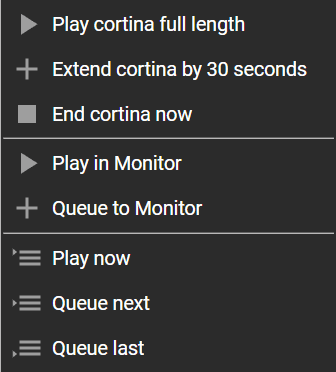
- Change a cortina’s length on the fly. Is the floor clearing faster than you expected, or do the dancers need a little longer to find partners? Right-click the cortina in the Playing list and choose Play cortina full length, Extend cortina by 30 seconds, or End cortina now. You can also change a cortina further down the list before it starts. This changes only the cortina you click, even if you use the same song as a cortina several times in the evening.
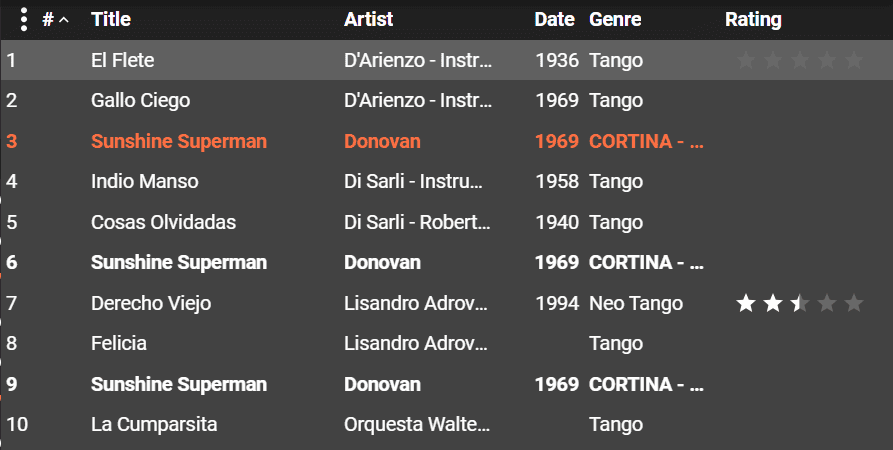
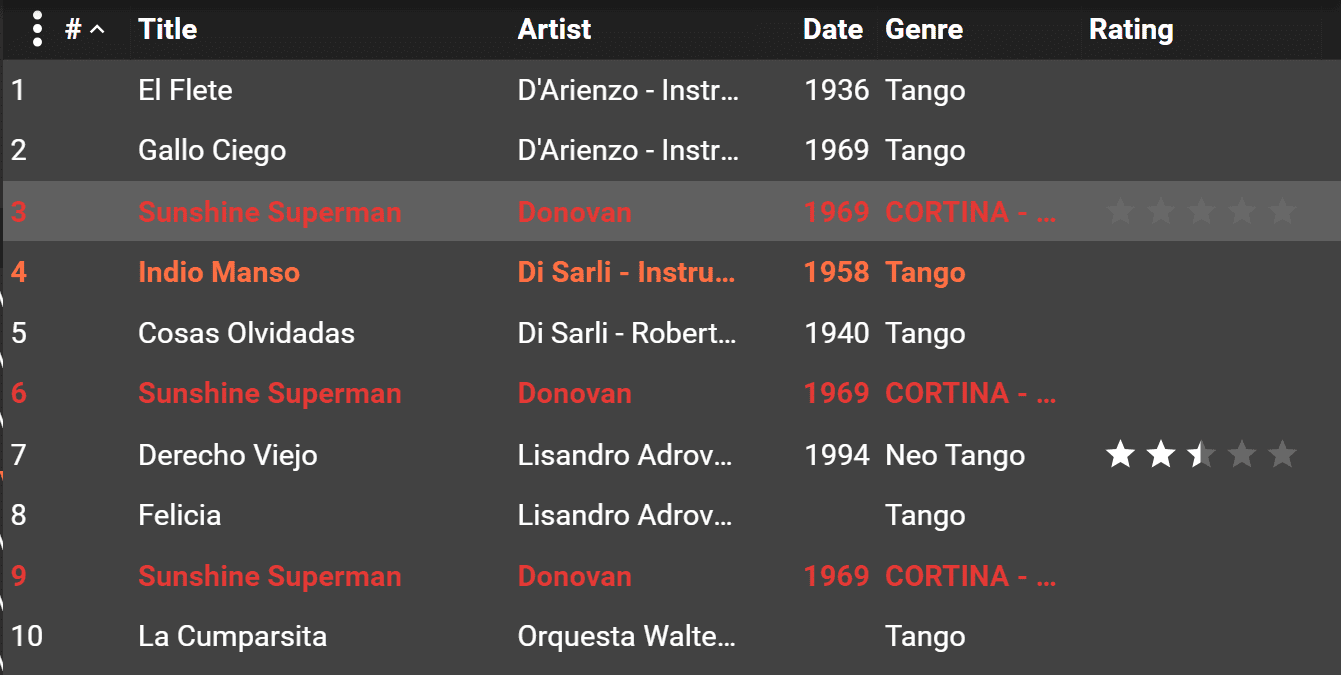
- See your cortinas at a glance. Every cortina in the Playing list shown in bold, so you can see where your tandas begin and end. You can add italic or a color in the settings too.
- Real silence before and after cortinas. Set separate silence gaps between songs, before a cortina, and after a cortina.
- A countdown while the cortina plays. MediaMonkey’s player bar shows how many seconds of cortina, or of silence, are left.
- Automatic updates. MediaMonkey 5 checks for new versions of the plugin and offers to install them.
Features
- Choose how to find cortinas. The plugin looks for the word “cortina” (not case-sensitive) in any combination of the song’s title, genre, custom tags, or path.
- Cortina length (15 to 240 seconds), including the fade-in and fade-out.
- Fade-in time (0 to 10 seconds) and fade-out time (0 to 15 seconds).
- Cortina volume as a percent of your normal playback volume. You don’t have to blast the dancers with loud cortinas any more. Try 70%.
- Silence gaps (0 to 10 seconds each) between songs, before a cortina, and after a cortina. Don’t be that DJ who runs the end of one song right into the next!
- Set Cortina text style in the Playing list: bold, italic, and a choice of colors.
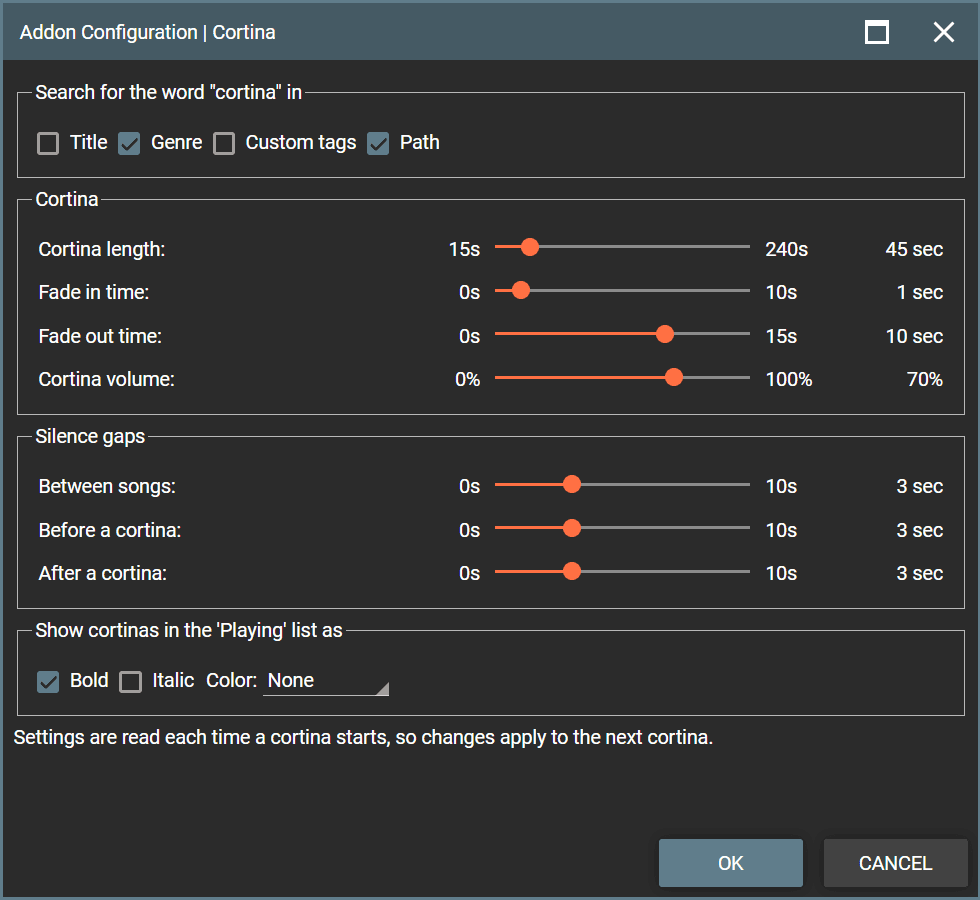
Settings are read each time a cortina starts, so you can adjust them during the milonga. Changes apply to the next cortina.
Changing a cortina’s length during the milonga
Right-click a cortina in MediaMonkey’s Playing list:
| Menu item | Cortina that’s playing | Cortina later in the list |
|---|---|---|
| Play cortina full length | Plays the whole song, fading out at its end | Plays the whole song when it starts |
| Extend cortina by 30 seconds | Adds 30 seconds before the fade-out | Adds 30 seconds (click again for more) |
| End cortina now | Fades out right away | — |
| Use normal cortina length | — | Undoes the change |
Changes are remembered until you close MediaMonkey or clear the Playing list. If you like hotkeys, you can assign keys to the first three in Tools > Options > Hotkeys; a hotkey acts on the cortina that’s playing.

Download and Install
Click this link to download the Cortina Plugin for MediaMonkey 5. Double-click the cortina.mmip file (mmip = MediaMonkey Installation Package) to add the plugin to MediaMonkey, or use Tools > Addons > Add in MediaMonkey. Restart MediaMonkey if it asks.
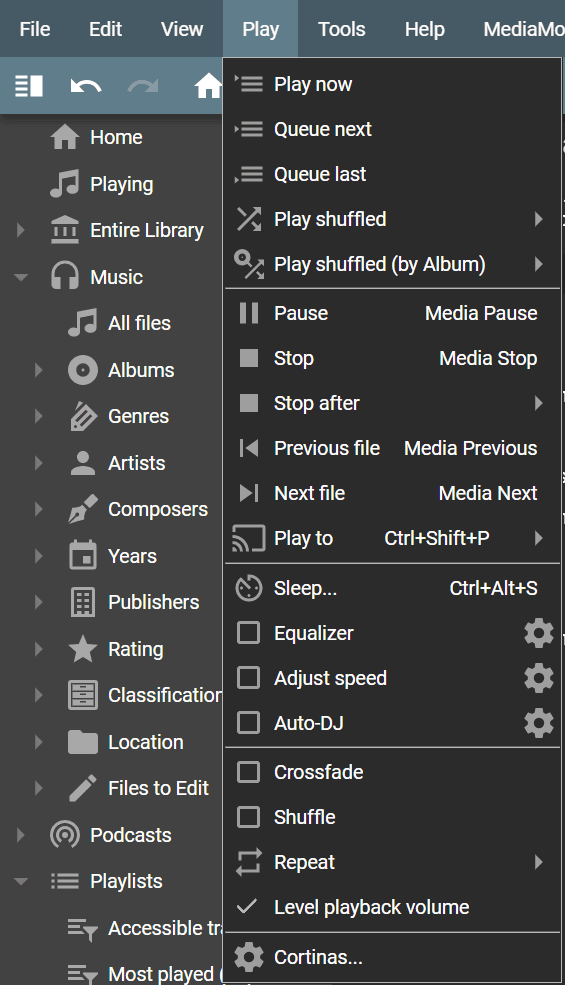
To open the settings, click Play > Cortinas… or go to Tools > Addons, find Cortina, and click its settings (gear) button.
Updating: MediaMonkey 5 checks for new versions automatically. To check yourself, go to Tools > Addons and look for an “Update available” note under Cortina.
Tips
Consistent silence between songs. Turn on “Remove silence at the beginning / end of track” in Tools > Options > Playback Rules. That removes the random bits of silence at the start and end of each recording. Then let the Cortina plugin add back exactly the gap you want. Keep MediaMonkey’s own Gap/Overlap setting at 0.
Start a cortina later in the song. Edit the song’s Start time in its Properties (Details tab) to anything later than 0:00. Set a fade-in of one second or longer to hide an abrupt start.
Make cortinas stand out from the playing song. MediaMonkey shows the song that’s playing in bold, in its highlight color. If you’d like your cortinas to look different from that, add italic or a color in the settings.
Crossfade is turned off. The plugin turns MediaMonkey’s crossfade off while it runs, so songs never blend into each other at the milonga. Your crossfade setting is put back when MediaMonkey closes.
Gravelly or distorted sound on every other song? We’ve seen this with the “MediaMonkey WASAPI output” plugin on some sound cards. Switching to “MediaMonkey DirectSound output” in Tools > Options > Output Plug-ins fixed it. This isn’t caused by the Cortina plugin.
Still on MediaMonkey 4? The original Cortina plugin still works there.

